
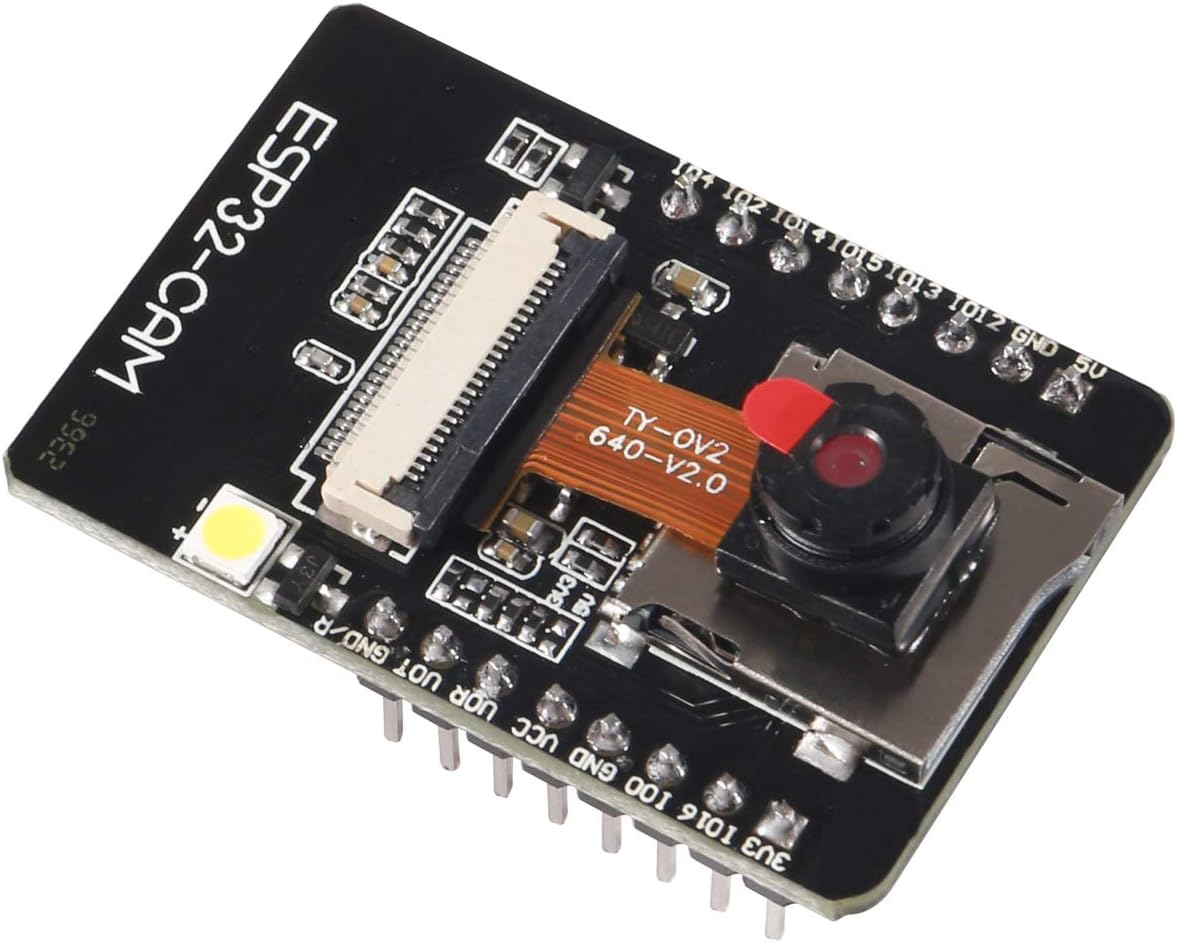
The ESP32-CAM camera module is a small and compact design,
based on an ESP32 chip with an OV2640 2MP camera, built-in flash, and also
supports OV7670 cameras. It is fully compliant with WiFi 802.11b/g/n/e/i and
Bluetooth 4.2 standards, has 9 GPIO ports, and supports UART/SPI/I2C/PWM and
other interfaces.
ESP32-CAM features:
Uploading code using FTDI:
Connect the ESP32-CAM board to your computer using an FTDI
programmer. Follow the diagram below:

Many FTDI programmers have a jumper that allows you to
select 3.3V or 5V. Make sure the jumper is in the right place to select 5V.
Note: ESP32-CAM doesn’t come with FTDI.
To upload the code, follow the next steps:
1) Go to Tools > Board and
select AI-Thinker ESP32-CAM.
2) Go to Tools > Port and
select the COM port the ESP32 is connected to.
3) Then, click the upload button to upload the code.

4) When you start to see some dots on the debugging window,
you may need to press the ESP32-CAM on-board RST button if it doesn’t go
automatically into flashing mode.
After a few seconds, the code should be successfully
uploaded to your board.
Resources:
https://randomnerdtutorials.com/esp32-cam-video-streaming-face-recognition-arduino-ide/

No review given yet!
 Fast Delivery all across the country
 Safe Payment
 7 Days Return Policy
 100% Authentic Products


You need to Sign in to view this feature

This address will be removed from this list

 english


